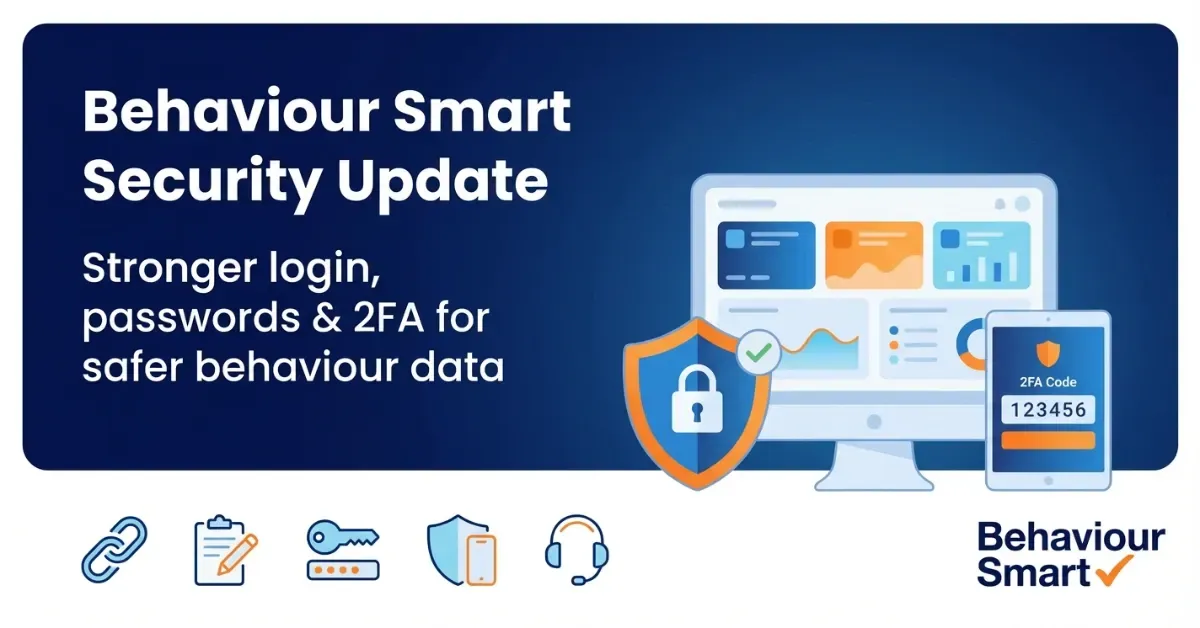
Behaviour Smart Security Update | Stronger Login & Data Protection
TL;DR
💡 Behaviour Smart is introducing a security update to strengthen how staff access the platform.
💡 Each school, AP or children’s home will move to a unique, secure Behaviour Smart URL, replacing older generic links.
💡 Passwords must now be at least 10 characters, and some users will be prompted to reset theirs.
💡 Two-factor authentication (2FA) will be introduced, adding an extra layer of protection on top of passwords.
💡 Updated data protection documentation explains how Behaviour Smart processes and protects data in line with UK GDPR and the Data Protection Act 2018.
💡 These changes are designed to support safeguarding and SEN/SEMH practice, while remaining realistic for busy staff teams.
Introduction: Behaviour Smart Security Update
Schools, alternative provisions and children’s homes rely on digital systems to record behaviour, monitor patterns and keep children safe. That means the information inside Behaviour Smart is highly sensitive: incidents, staff observations, multi-agency notes, post-incident reflections and support plans.
UK data protection law is clear that organisations holding this kind of data must keep it secure and use “appropriate technical and organisational measures” to protect it under the UK GDPR and Data Protection Act 2018. At the same time, cyber incidents affecting schools are rising, with recent sector reports showing that many schools have experienced some kind of security incident in the last few years.
To respond to this, Behaviour Smart is rolling out a platform-wide security update focused on how staff log in and how accounts are protected. This is separate from our MIS integration work. It is about platform access, safeguarding and data protection, not about changing how your MIS sync works.
The Safeguarding Challenge Behind Digital Access
Behaviour and safeguarding records are not just “admin”. They often include:
Incident descriptions and follow-up actions
Patterns over time, linked to attendance, SEN or SEMH needs
Notes from staff, carers and external professionals
Plans, adjustments and post-incident learning activities
For UK education providers, this data sits firmly within the scope of UK GDPR and the Data Protection Act 2018, which set out how personal data must be collected, stored, accessed and shared. The Information Commissioner’s Office (ICO) provides regulatory guidance and support for organisations processing personal data.
The DfE data protection in schools guidance explains how these duties apply directly to pupil records and safeguarding information, including what sits in digital systems such as behaviour platforms. Current cyber security standards for schools also make clear that systems holding sensitive pupil data should be strongly protected.
In practice, though, many settings face similar challenges:
Staff juggling multiple systems, passwords and devices
High staff turnover, including supply and agency staff
Limited IT capacity in-house
Growing cyber threats targeted at the education sector
Behaviour Smart’s security update is designed to respond to this reality: raising the bar on security without making everyday access feel impossible for teams relying on behaviour support for schools and trusts.
What This Security Update Actually Is

This update is about how staff access Behaviour Smart, not about changing your MIS integration, analytics or day-to-day workflows.
Unique, Secure Access Links
Every school, trust, AP or children’s home will receive a unique, secure Behaviour Smart URL.
In practice this means:
Your current general login link will be replaced.
Staff may need to update bookmarks, shortcuts and saved links.
After a transition period, the old link will be retired.
Using a unique URL for your setting reduces the risk of:
Old, generic links circulating outside your organisation
Confusion when staff work across multiple systems
Unauthorised users trying to access a shared login page
Stronger Password Rules
We are introducing a minimum password length of 10 characters for all users.
Some staff will be prompted to reset their password so it meets this standard. Longer passwords, especially when made from passphrases, are significantly harder to guess or crack and are strongly recommended in cyber security guidance for schools.
Practical examples you might share with staff:
Use three or four unrelated words (for example, a simple passphrase).
Avoid names of pupils, the school, or sports teams.
Never reuse a password from personal email or social media.
Two-Factor Authentication (2FA)
Behaviour Smart is introducing two-factor authentication (2FA) for accounts.
2FA adds a second step after entering a password, such as:
Receiving a one-time code via email or phone
Using an authenticator app
Approving a login via a trusted device
If a password is ever guessed, shared, or compromised in another breach, 2FA makes it far less likely that someone could log in and view behaviour or safeguarding records. This aligns with UK guidance that systems holding sensitive personal data should use strong authentication wherever possible.
Updated Data Protection Documentation
We are also updating our data protection documentation to give clearer information on:
How Behaviour Smart processes and stores behaviour data
How long different types of data are retained
How data is protected in transit and at rest
Roles and responsibilities between Behaviour Smart and your setting
Schools can reference this alongside our Data Protection Policy, Privacy Notice and Data Processing Addendum to support their own compliance checks and privacy impact assessments.
Secure, Reliable Infrastructure
The update also reaffirms key aspects of our infrastructure:
Hosting designed for high reliability and uptime
Encryption of data in transit and at rest using recognised standards
Regular review of our security posture in line with UK expectations for education providers and public-sector data.
Why This Matters For SEN, SEMH And Safeguarding
Many Behaviour Smart users work in settings where:
A high proportion of pupils have SEN or SEMH needs
Behaviour patterns are closely linked with communication differences, trauma histories or unmet needs
Behaviour records form part of multi-agency working and EHC planning
For these children and young people, trust and psychological safety matter. Families and carers expect that:
Sensitive details are handled with care
Only appropriate staff can see specific information
Systems used to record their child’s story are secure and well managed
Stronger access controls support:
Trauma-informed practice: children are not exposed to avoidable breaches or gossip about incidents.
Dignity and respect: sensitive information is handled on a true “need to know” basis.
Professional confidence: staff know that what they record is appropriately protected.
This is particularly important when Behaviour Smart behaviour management software for mainstream schools, behaviour management software for special schools and alternative provisions, and behaviour management software for children’s homes and care settings is used to track patterns, escalate concerns and coordinate support plans for vulnerable pupils.
KCSIE emphasises that safeguarding is everyone’s responsibility and highlights secure record-keeping, timely information sharing and clear oversight by the DSL and senior leaders. Behaviour Smart’s security update is designed to support that responsibility, especially where behaviour data and information from the Post-incident learning app form part of safeguarding decision-making.
Common Security Challenges Schools & Provisions Face
Even with committed staff and strong values, certain patterns crop up again and again.
Shared or Generic Logins
Busy teams sometimes share accounts to “make life easier”. This can:
• Break the audit trail of who did what and when
• Make it harder to investigate incidents or disputes
• Sit uncomfortably with safeguarding expectations around accountability
Outdated Links and Shortcuts
When systems change, old URLs tend to linger:
• On staff desktops and tablets
• In printed training packs
• Inside outdated policy documents
Staff may use different routes to log in, which can cause confusion and can sometimes leave less secure access points in place.
Weak or Reused Passwords
Without clear guidance and tooling, many people understandably fall back on:
• Short, simple passwords
• Using the same password across multiple systems
• Writing passwords in easily visible places
Across the sector, this behaviour is a key factor in successful cyber-attacks and incidents in schools and colleges.
Mixed Digital Confidence
In any staff team you will have digital champions, cautious users and colleagues who feel actively anxious about new security steps. If a change feels confusing, people can:
• Delay using the system
• Invent workarounds that unintentionally weaken security
• Feel stressed at moments when children most need calm, consistent responses
Behaviour Smart’s update is designed with all of these realities in mind.
Behaviour Smart’s Approach To Secure Platform Access

Our approach is built around four principles:
Safeguarding first
Behaviour data is treated as safeguarding data. Security features are not add-ons; they are part of the safeguarding system.Compliance by design
Features are designed to support UK GDPR, the Data Protection Act 2018 and DfE cyber security standards for schools and colleges, rather than relying solely on policy documents.Practical for busy staff
We provide clear steps, prompts and support so that staff can set things up quickly and then focus on their work with children, including interpreting AI-powered behaviour insights and post-incident learning trends.Partnership with your setting
Behaviour Smart provides secure infrastructure and tools. Your setting retains control over user accounts, role-based access and local policies.
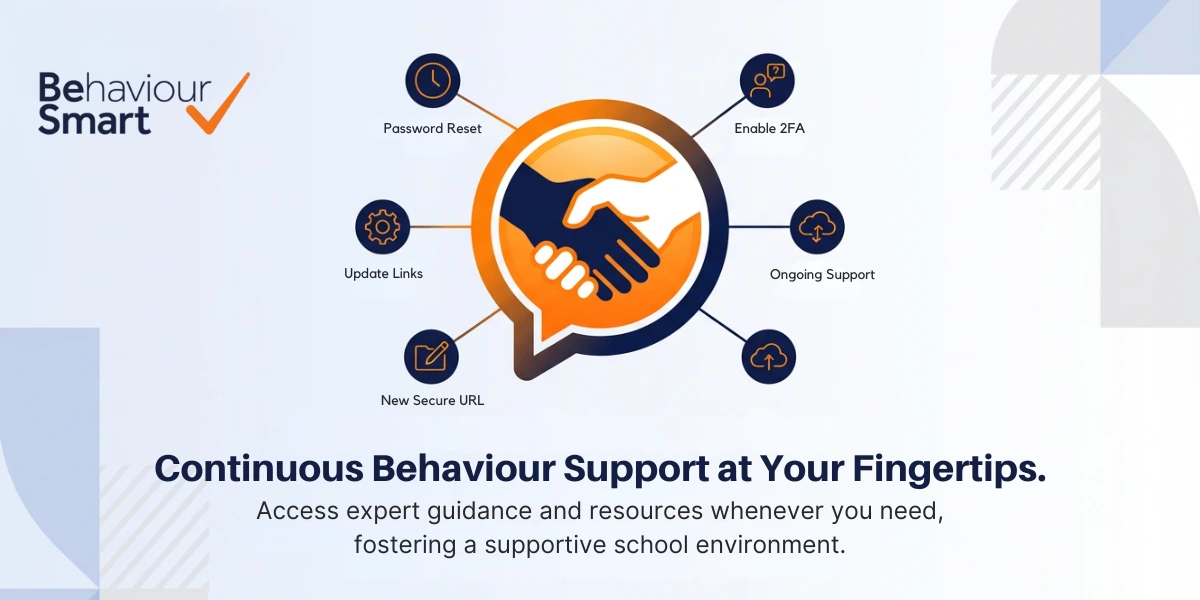
Step-by-Step: How Your Setting Will Move To The New Security Model
Receive your new secure URL
Your nominated Behaviour Smart contact will be sent:
Your unique secure Behaviour Smart URL
Guidance on updating this in staff materials, policies and devices
You may want to:
Ask IT or admin staff to change shortcuts on shared computers
Update links in staff handbooks and induction materials
Remind staff not to share the URL outside authorised channels
Update staff access points
Encourage staff to:
Replace old bookmarks and desktop shortcuts with the new URL
Delete shortcuts to retired URLs
Update password managers (if used)
A short “housekeeping” task now reduces confusion later.
Complete any password resets
Some users will be prompted to reset their password to meet the new minimum length.
You can support this by:
Building five minutes into a staff meeting to reset passwords together
Sharing examples of strong passphrases
Encouraging staff who find digital tasks difficult to ask for help early
Enable two-factor authentication
When your setting is ready to enable 2FA, staff will:
Log in using the new URL and their password
Be guided through setting up their second factor
Confirm future logins using this method
We will provide simple written guidance and, where useful, short videos so that staff can see the process before they try it. The Behaviour Smart Help Centre will also offer up-to-date support articles and troubleshooting guidance.
Maintain ongoing security and support
After the transition:
Your senior leaders, DSL and data protection lead can use our documentation to evidence secure practice.
Behaviour Smart support is available for troubleshooting and staff queries.
Security measures can be reviewed alongside safeguarding and data protection policies on a regular cycle.
Benefits For Your Team
For senior leaders and governors
Clear evidence that behaviour and safeguarding data is being actively protected
Stronger alignment with DfE cyber security standards and safeguarding expectations.
Greater assurance when responding to questions from inspectors, trustees or local authorities
For DSLs, SENCos and pastoral leads
Confidence that sensitive records are better protected
A clearer narrative on how digital records fit within your safeguarding system
Reduced risk of unauthorised access to information about individual children
For classroom staff and support workers
A consistent login route that feels familiar once set up
Clear prompts for password and 2FA setup
Reassurance that the tools they use daily are designed with security in mind
For IT and data protection leads
A behaviour platform that takes data protection and cyber security seriously
Documentation that supports DPIAs, risk assessments and training
Less need to “bolt on” additional controls after the fact
For teams exploring the wider platform, this security update strengthens the foundations underneath your Behaviour Smart packages, Behaviour Smart reviews and the full suite of behaviour and safeguarding tools.
UK Context: Security As Part Of Safeguarding
Keeping children safe in education statutory guidance highlights that safeguarding includes online safety, secure record-keeping and appropriate information sharing.
At the same time, DfE cyber security standards for schools and colleges and NCSC cyber security for schools resources make clear that:
Schools should protect systems holding sensitive pupil data with strong authentication
Staff should receive regular support and training around cyber security
Organisations should plan in advance for cyber incidents rather than reacting after the event.
Behaviour Smart’s security update is intended to help you live out those expectations in a practical, child-centred way, alongside services such as Behaviour Smart MIS integration and AI-powered analytics.
Preparing Your Setting
Over the coming weeks, Behaviour Smart users will receive:
Their new secure Behaviour Smart URL
Information on any required password resets
Guidance to prepare for two-factor authentication
Links to updated data protection documentation
To get the most from this update, you might:
Nominate a lead (DSL, SENCo, data protection lead or IT manager) to coordinate the change.
Brief staff with a short, calm summary so they understand why the update matters for safeguarding.
Identify colleagues who may need extra help and plan gentle, practical support.
If you are not yet using Behaviour Smart and would like to see how secure, trauma-informed behaviour software could support your setting, you can explore our Behaviour Smart blogs or contact our team for a conversation about demos and next steps.
Related Behaviour Smart Articles for a Deeper Dive

Behaviour Smart at Bett 2026: AI-Powered Behaviour Insights for Schools & Care Settings
Take a closer look at how Behaviour Smart’s AI-powered behaviour insights, analytics and post-incident learning tools support safer, calmer environments in schools, trusts and children’s homes.

Why Behaviour Smart Is The Best Incident Recording System For Schools
Discover what makes Behaviour Smart different from traditional behaviour logs, including trauma-informed recording, PILD workflows and powerful analytics that turn incidents into learning.
Behaviour Smart Roundup: Key Education and Care Insights for UK Schools & Providers
A monthly sector roundup featuring UK behaviour management news, SEND developments, Ofsted updates and AI in education and care, curated for school and care leaders.
Sources
• Department for Education – Data protection in schools and record-keeping guidance.
• Information Commissioner’s Office – UK GDPR guidance and resources for organisations.
• UK Government – Overview of UK data protection legislation and the Data Protection Act 2018.
• Department for Education – Keeping Children Safe in Education statutory guidance.
• National Cyber Security Centre – Cyber security advice and resources for schools.